How to take portrait photos at night?
Check out 5 tips that will help you take great evening photos for your Instagram and grab your followers’ attention! Choose a location and plan the shoot Before you start photographing, think about how you would like the frame to look. Before the shoot, […]

Check out 5 tips that will help you take great evening photos for your Instagram and grab your followers’ attention!
Choose a location and plan the shoot
Before you start photographing, think about how you would like the frame to look. Before the shoot, browse for inspiration online. Save some example images to your phone. It will be easier for you to work, and the results will be much better if your audience does not have to guess what you wanted to show. You can go for a walk beforehand to find an interesting location. It is important to create a consistent mood in your photos. Will you choose vintage, minimalism, or perhaps a modern style? Use your imagination!
Use manual camera settings on your smartphone
Simply pressing the shutter button in automatic mode, whether on a smartphone or a camera, will not make the photo good. When shooting in automatic mode, you have very little influence over how your photos will ultimately look. Manual mode on a smartphone is often called professional mode, but you do not have to be a professional to use it. When you open the camera app, tap the mode change icon, and you will have more control over the photo parameters – shutter speed, ISO sensitivity, exposure compensation, focus, and white balance. Taking a photo this way will take you a little more time, but the final result will reward you for it. There are no universal settings for every photo. Test, take several shots with different settings, and choose the one you like best.
- Aperture is the opening in the lens whose size you can adjust, allowing you to control how well-lit the photo will be. Its value is specified by a number after the letter “f”. For example, at f/2.8 the photo will be brighter, and at f 5.6 darker. Remember, however, that the wider the aperture, the shallower the depth of field.
- Shutter speed is the amount of time the shutter inside the camera remains open. In low-light conditions, it is necessary to extend the shutter speed, e.g. to 1/20s, but then a tripod will be essential to prevent the photo from coming out blurred.
- ISO expresses the light sensitivity of the camera sensor. When photographing products, it is worth setting a low ISO, e.g. 200-400. When using higher values, digital noise may appear in our photos. For night photos, it may not be possible to avoid setting higher ISO parameters. On phones with a sensor that has more inches, noise is less visible. backstage photo showing an example use of the SmartStick 20
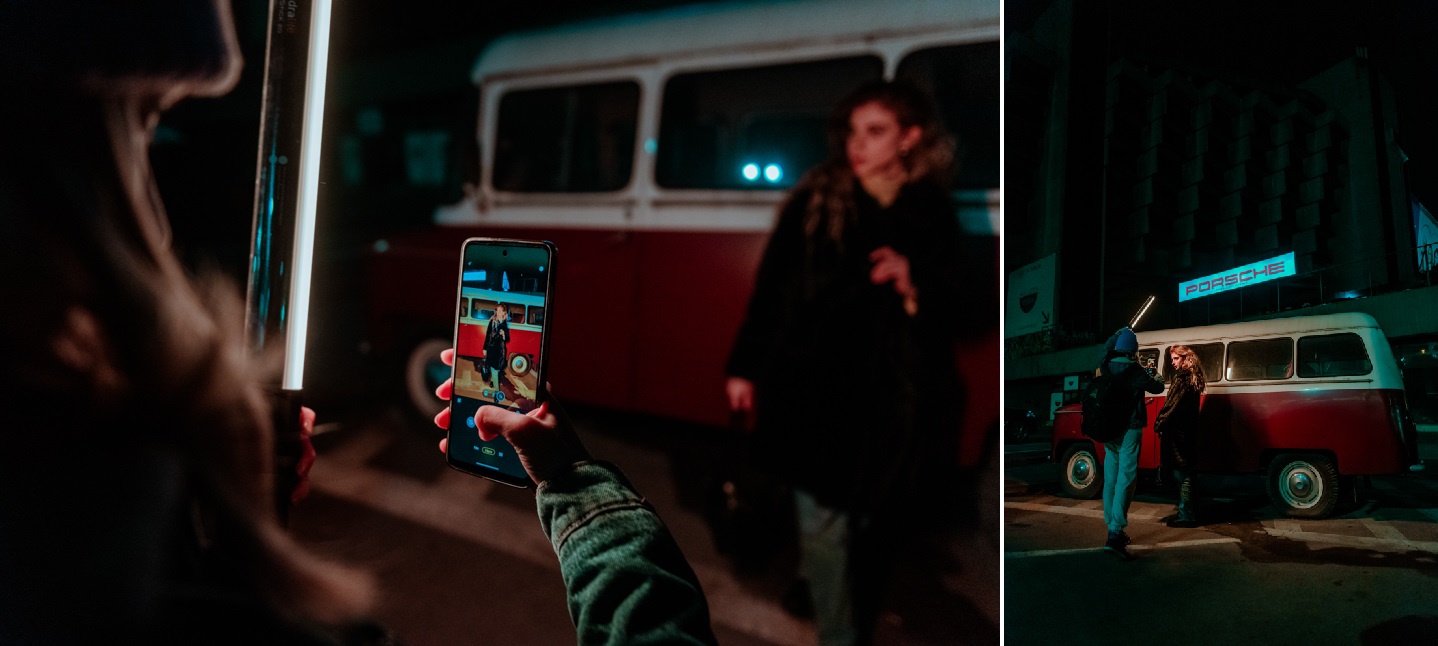
Backstage photo showing an example use of the SmartStick 20
Use a light sword
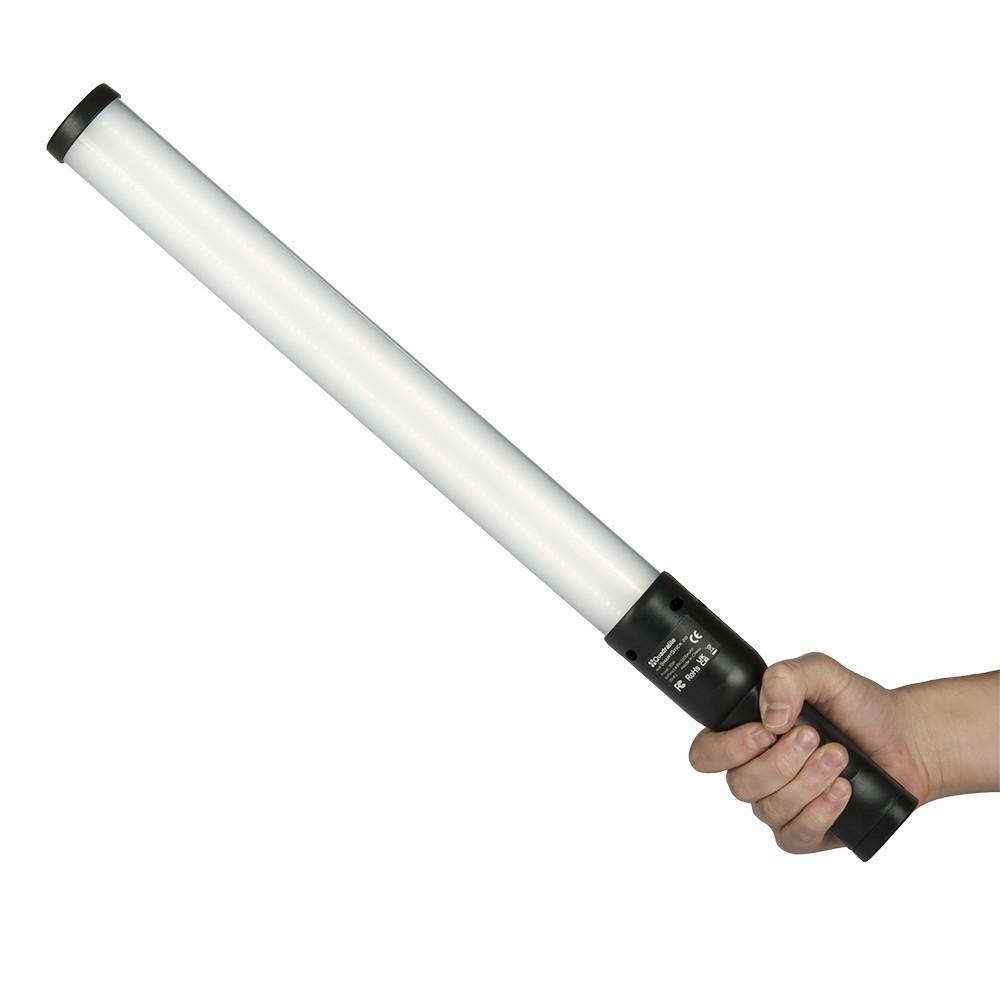
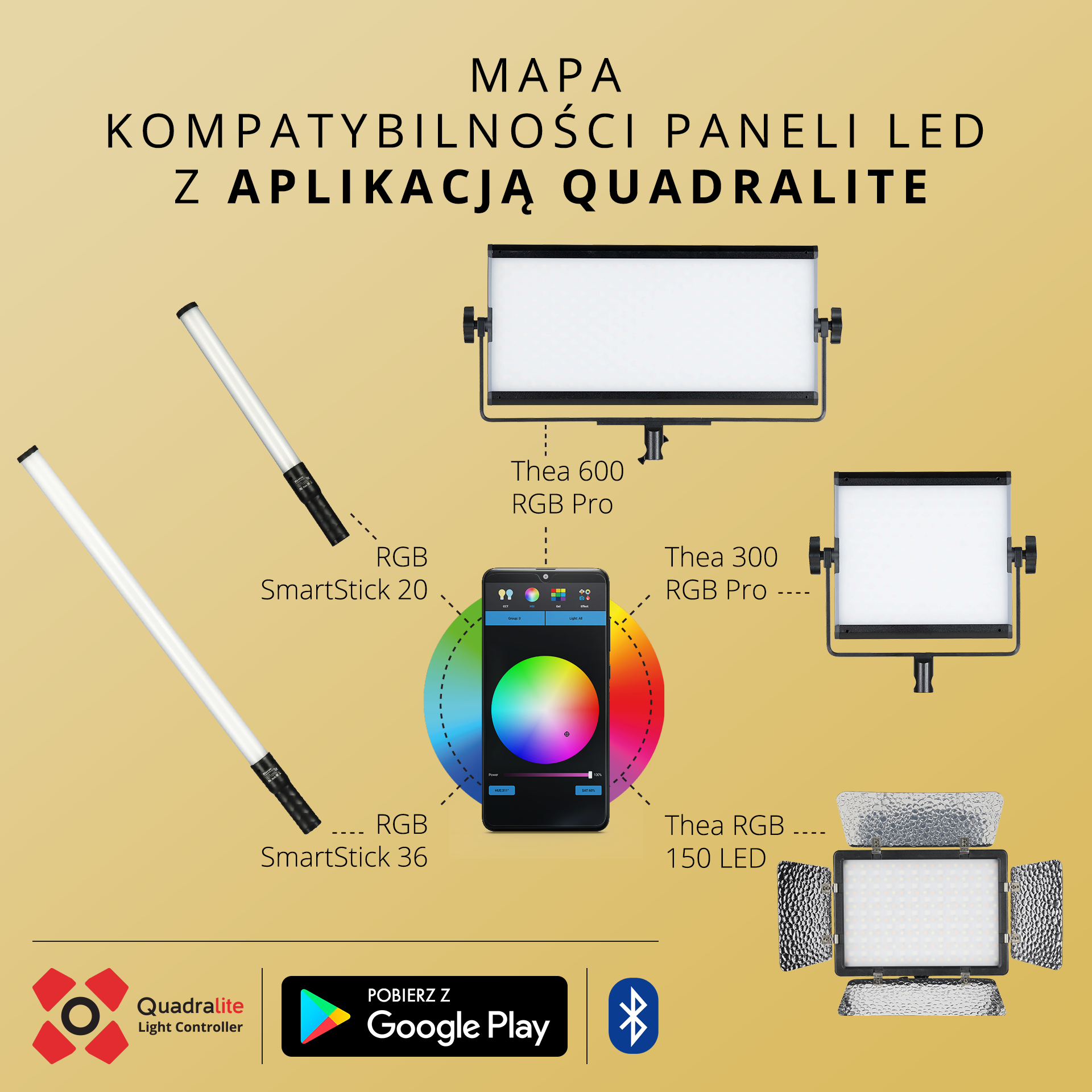
Light is crucial in photography, especially for night portraits. With the Quadralite RGB SmartStick 20 LED Lamp, you can light your subject creatively, and your photos will gain a unique character. It has as many as 48 color filters and many effect modes such as: RGB cycle, lightning, police, paparazzi, faulty fluorescent tube, fireworks, pulse, explosion, TV, fire. What is more, you have the Quadralite Light Controler app at your disposal, which allows you to remotely control not only it but also other Quadralite light panels. A very big advantage of this product is its compact size. Thanks to its low weight and mobility, working on an outdoor shoot will not be difficult even for many hours. You can take this lamp practically anywhere, and it is very easy to use! By holding the light sword a short distance from the model’s face, you will create portraits that impress with color. For your convenience, you can also equip yourself with a lightweight stand on which to mount the lamp.
How to use the sword?
On the sword’s panel there is a display and 4 buttons. The button with the letter “M” and the power icon is the button used to turn on the lamp and change its lighting mode. The one with two arrows is used to switch options in the submenu, and with “+” and “-” we can quickly change the color and light intensity. We have, for example, GEL mode at our disposal, which allows us to choose the light color (blue, orange, straw, cyan, green, yellow, red, magenta, pink, lavender). Move the sword closer to and farther away from the person you are photographing and observe how the light falls. Experiment and see for yourself what effects you get when lighting from below, from above, and from the side of the face. If you set the lamp power to maximum, you will easily illuminate even the entire figure. A great advantage of the sword is that you do not need an assistant for the shoot. You can work efficiently with both hands; holding the sword in one hand and the smartphone in the other. Frames in which the model holds the lamp herself will also look impressive!
Follow the rules of composition and strong points
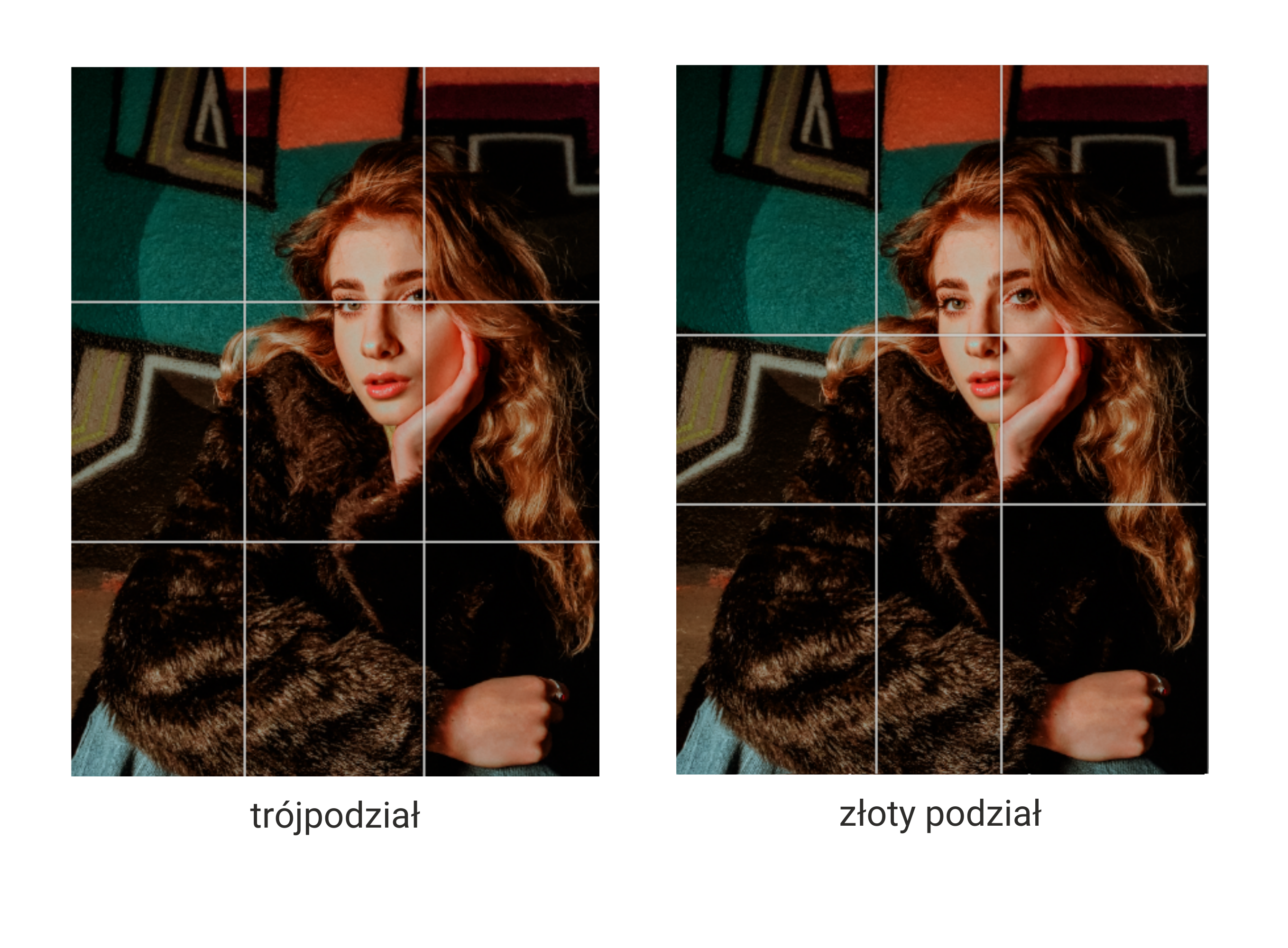
A central frame, where the photographed person is in the middle, is not a mistake, but there are also other framing options that will make your photos even more interesting! One of the basic rules of composition is the rule of thirds, where four lines divide the frame into nine rectangles. Your smartphone should have a grid option that will help you place the main subject at the right point. The places where the lines intersect are strong points where you should place the key elements of the photo. In the case of a portrait, this may be the eye of the female or male model. The second method is the golden ratio, where the intersection points of the lines lie a little closer together. These are only the basics of composition rules, but they have a huge impact on how viewers perceive the photo.
See for yourselves what effects you can achieve by photographing with a smartphone and lighting the model with the Quadralite RGB SmartStick 20 LED Lamp!
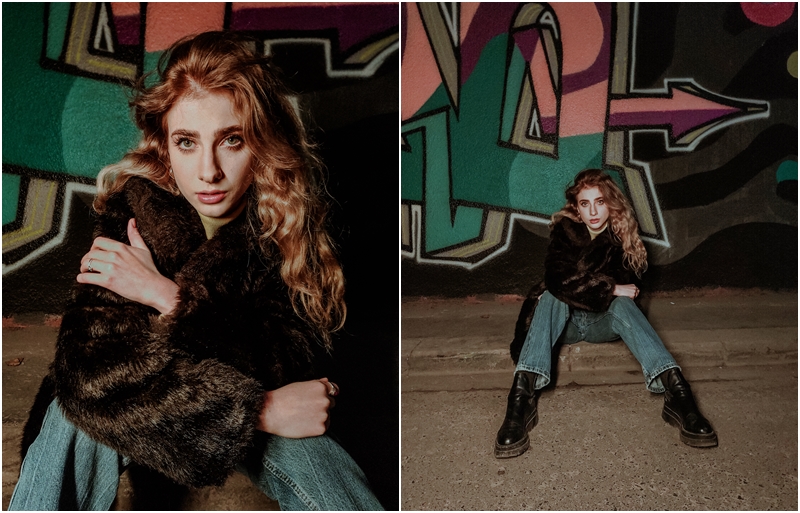
Photo taken with a smartphone, model lit with a warm shade of light using the SmartStick 20. The warm color emphasized the vintage styling.
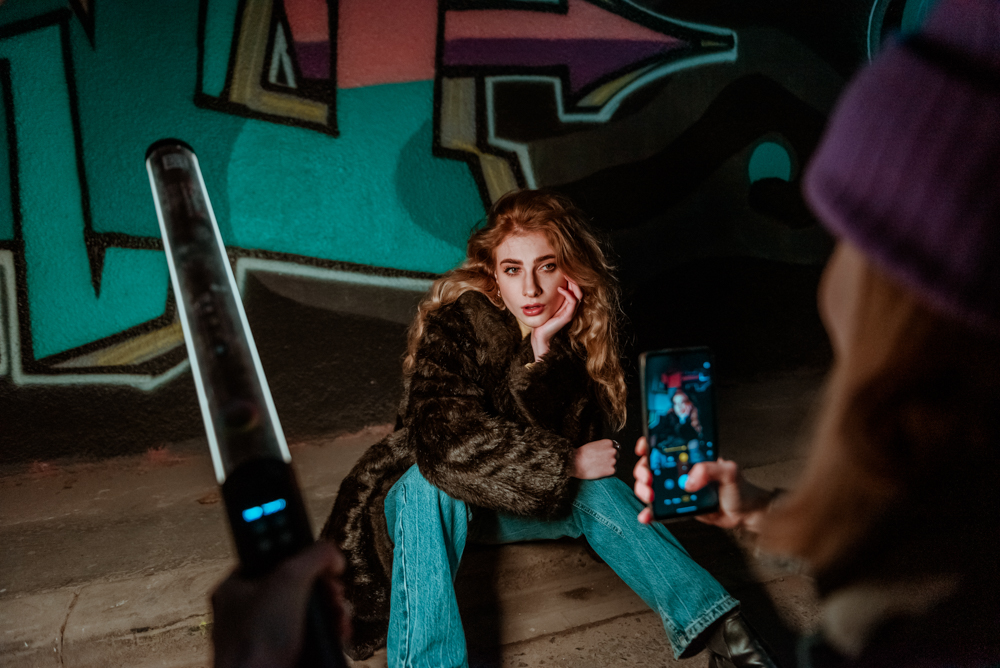
Backstage photo showing an example use of the SmartStick 20.
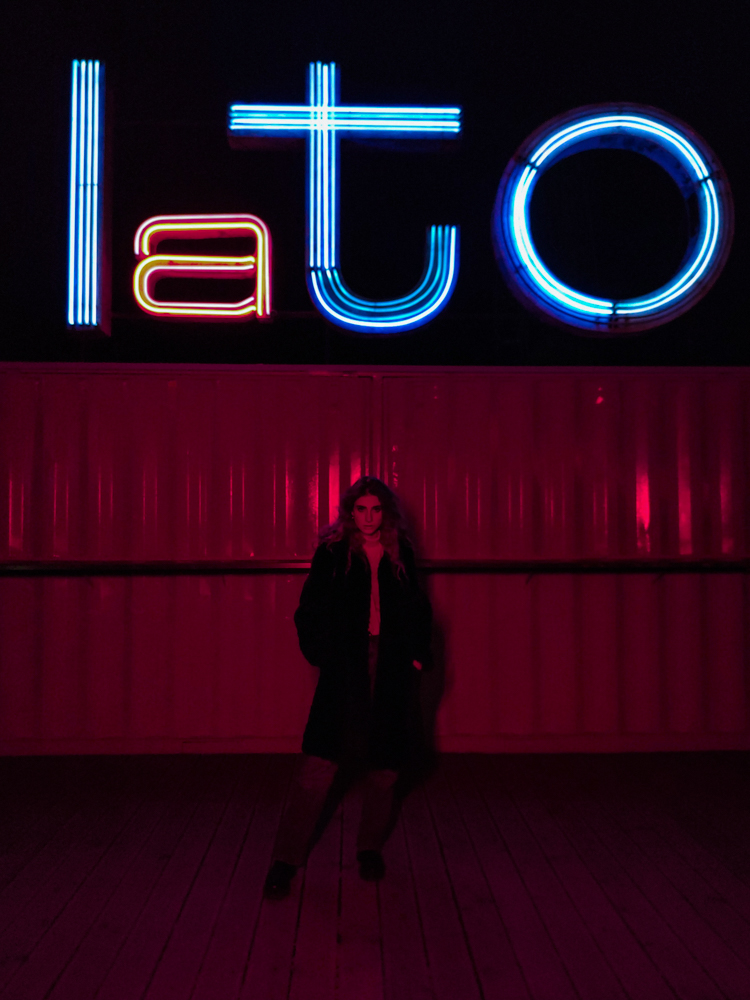
Photo taken with a smartphone, model lit with a red shade of light using the SmartStick 20. The red color contrasts with the neon sign and creates the character of the frame.
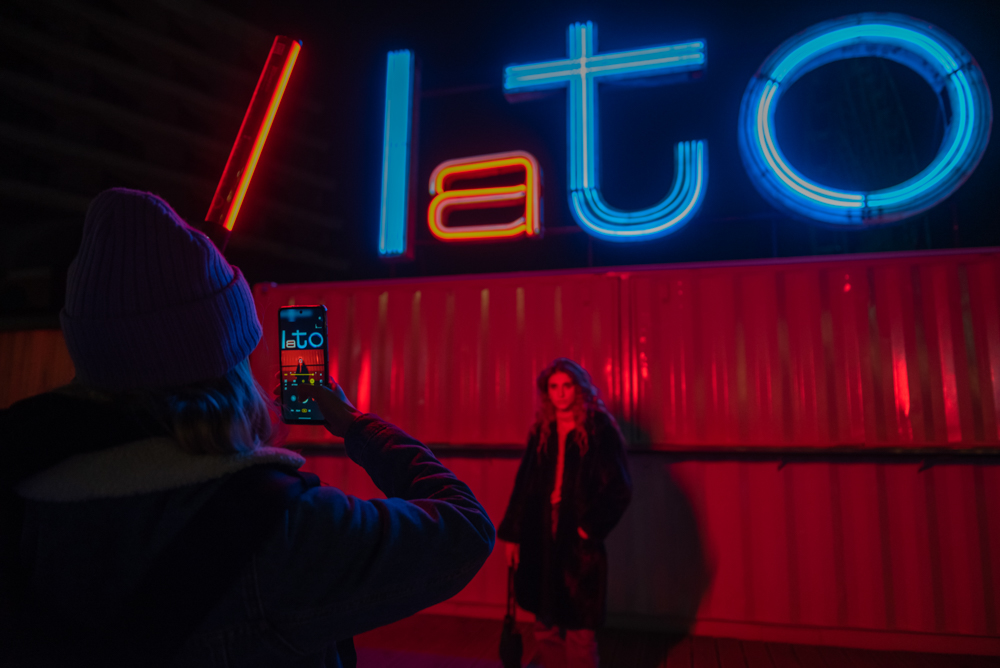
Backstage photo showing an example use of the SmartStick 20.
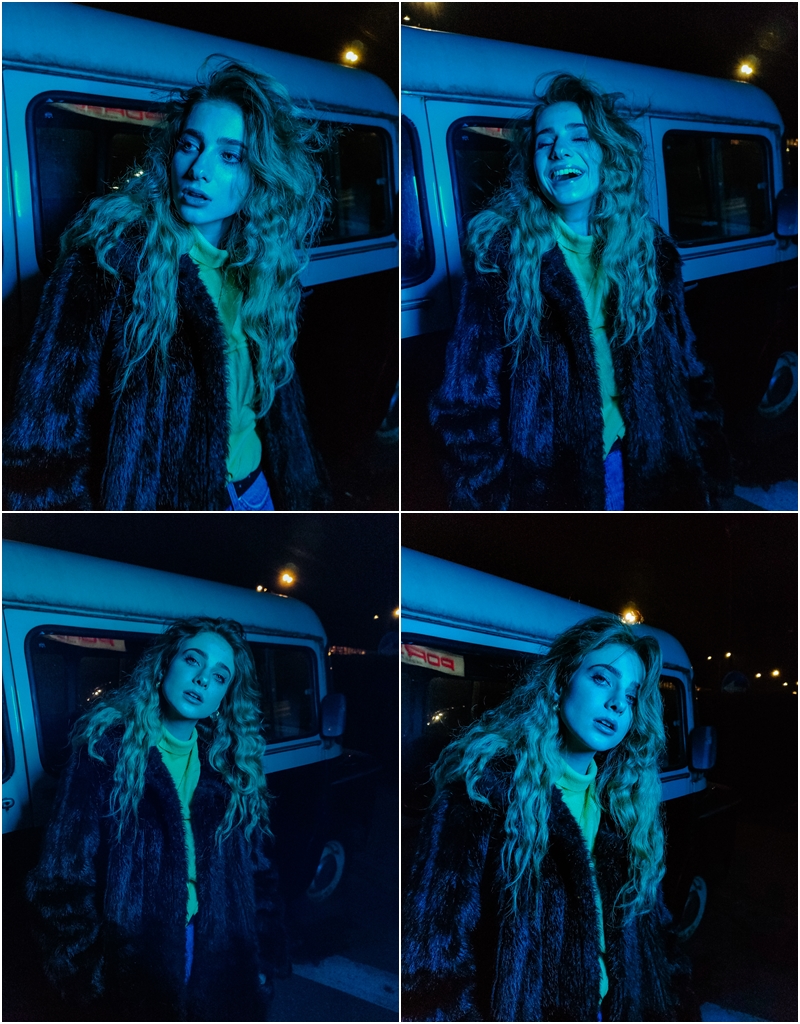
Photo taken with a smartphone, model lit with a blue shade of light using the SmartStick 20. The blue color contrasts with the yellow part of the outfit and the street lamps in the background. The figure stands out perfectly from the white and red car.
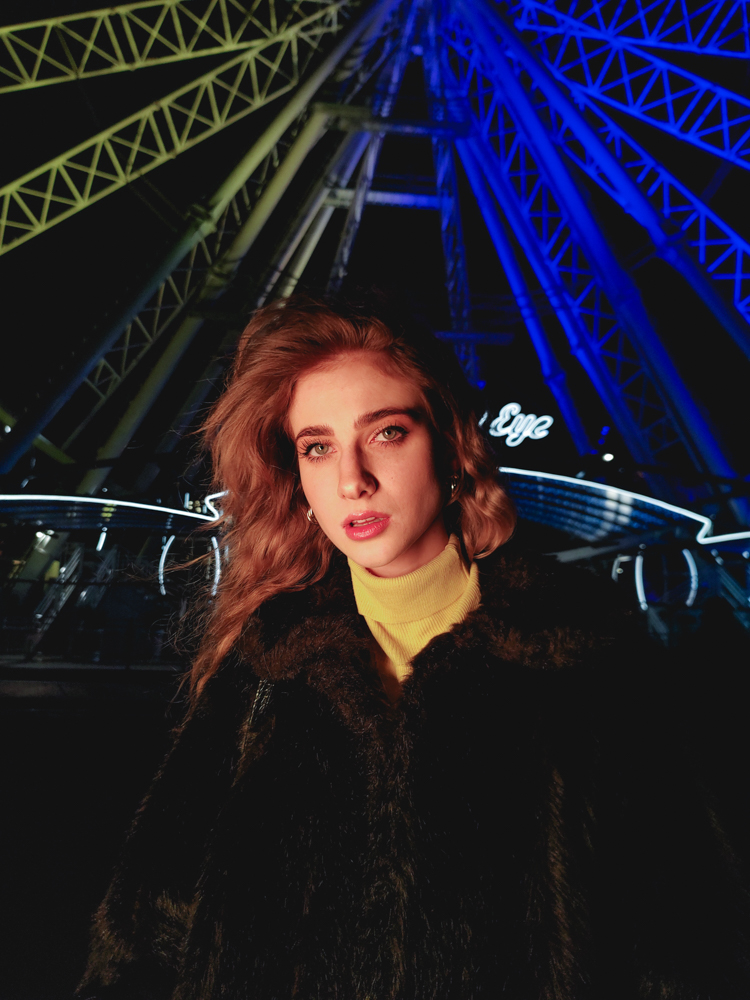
Photo taken with a smartphone, model lit with a warm shade of light using the SmartStick 20. The warm color gives the skin a natural tone.
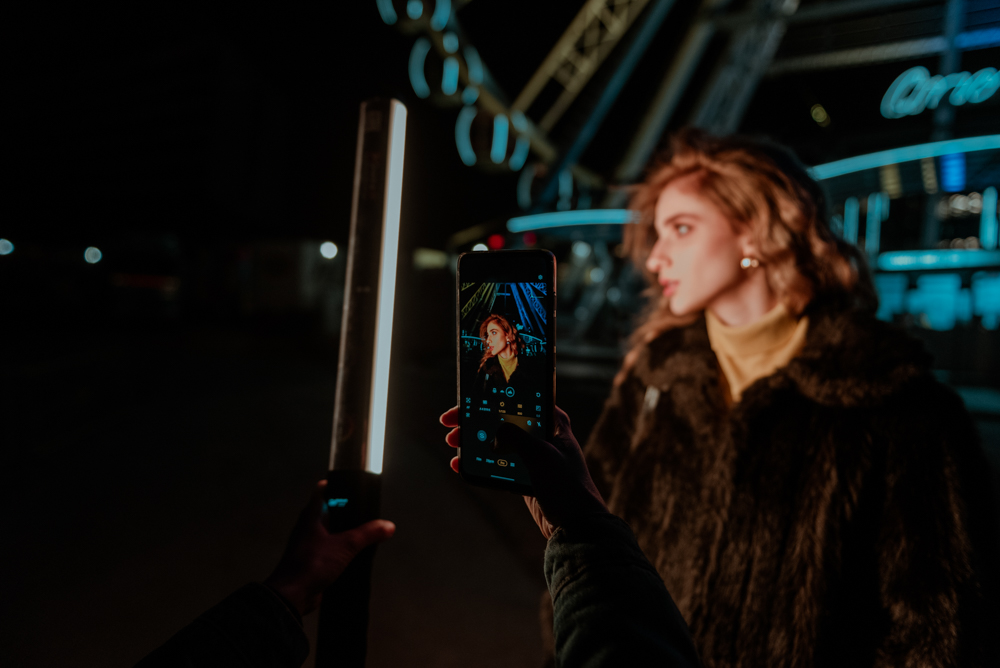
Backstage photo showing an example use of the SmartStick 20.
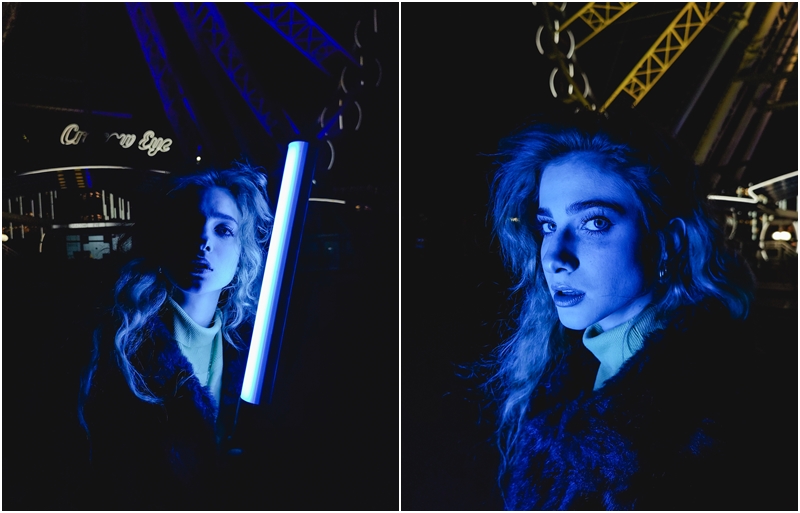
Photo taken with a smartphone, model lit with a blue shade of light using the SmartStick 20. The blue color contrasts with or complements the background.
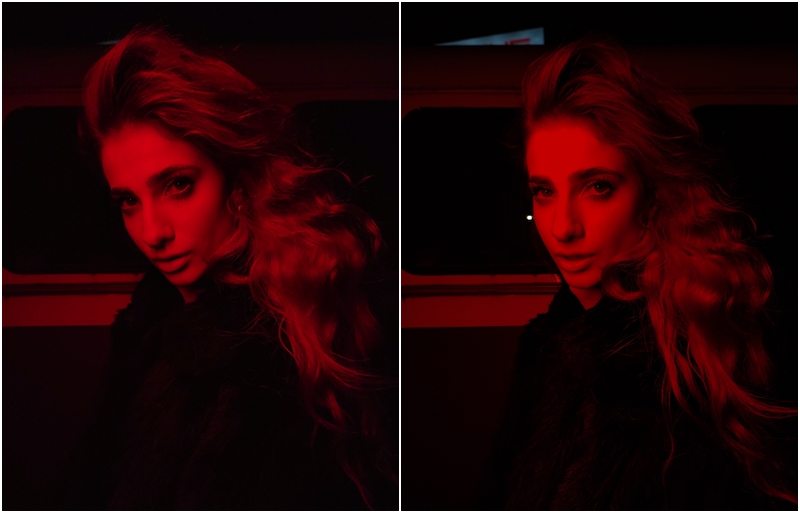
Photo taken with a smartphone, model lit with a red shade of light using the SmartStick 20. The red color created an original and monochromatic mood.
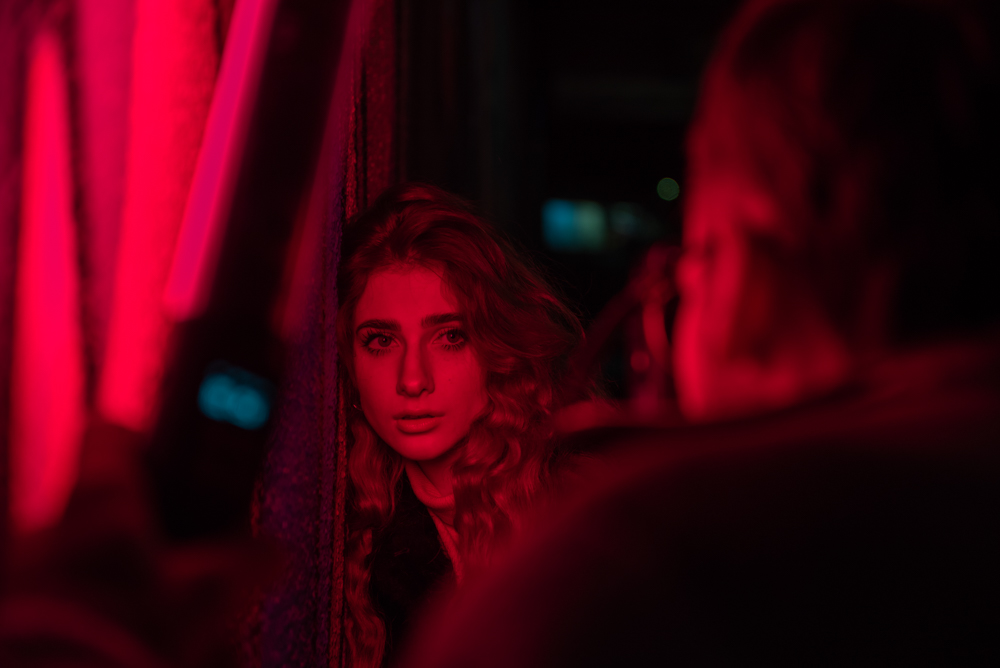
Backstage photo showing an example use of the SmartStick 20.
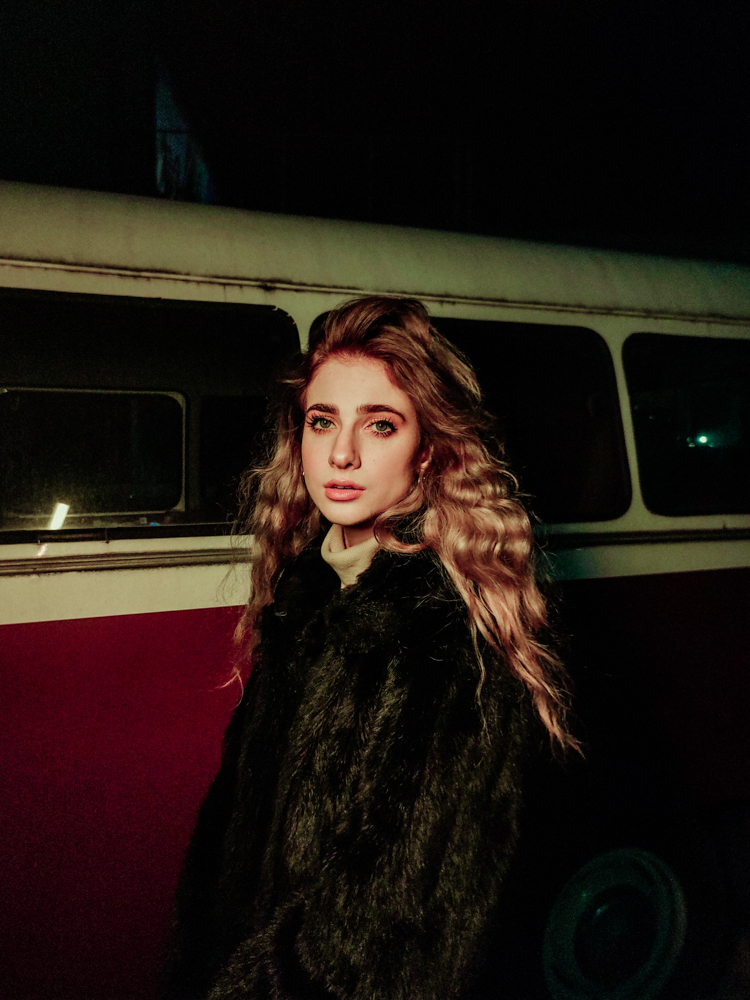
Photo taken with a smartphone, model lit with a yellow shade of light using the SmartStick 20. The yellow color added a retro feel to the photo.
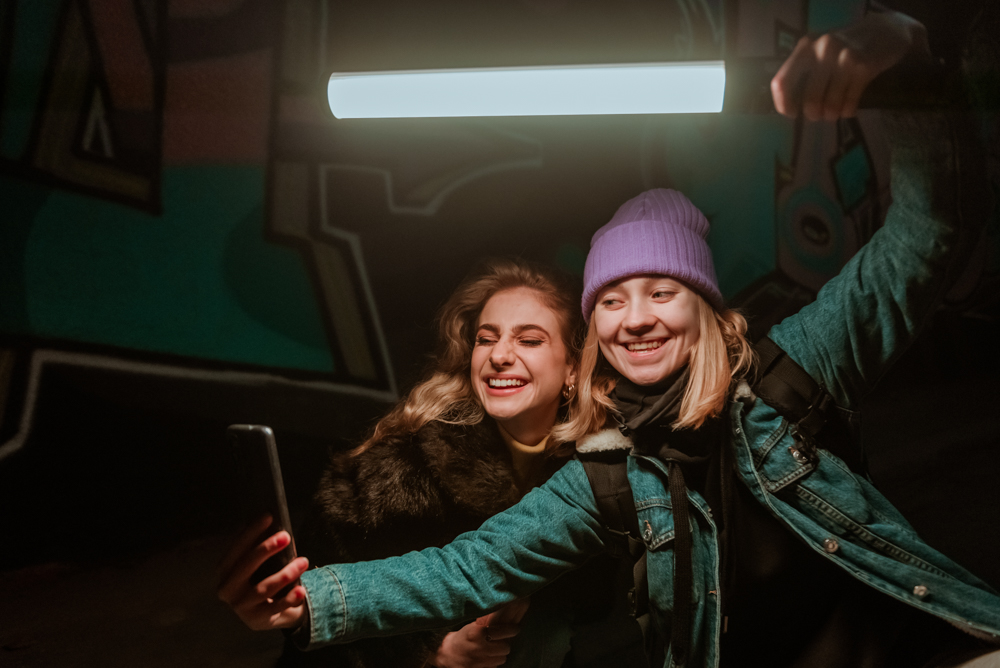
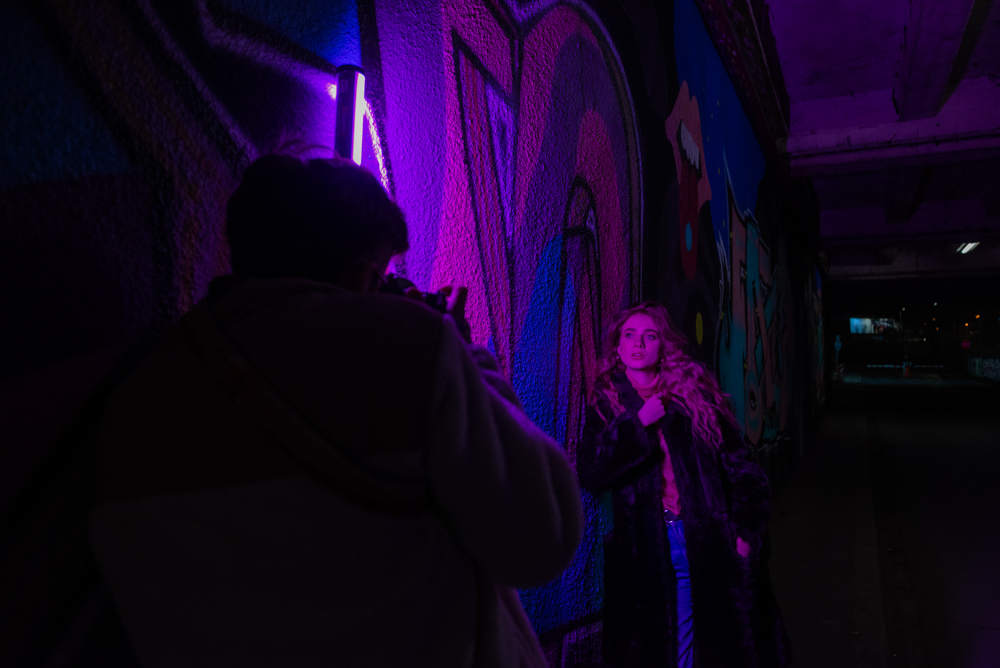
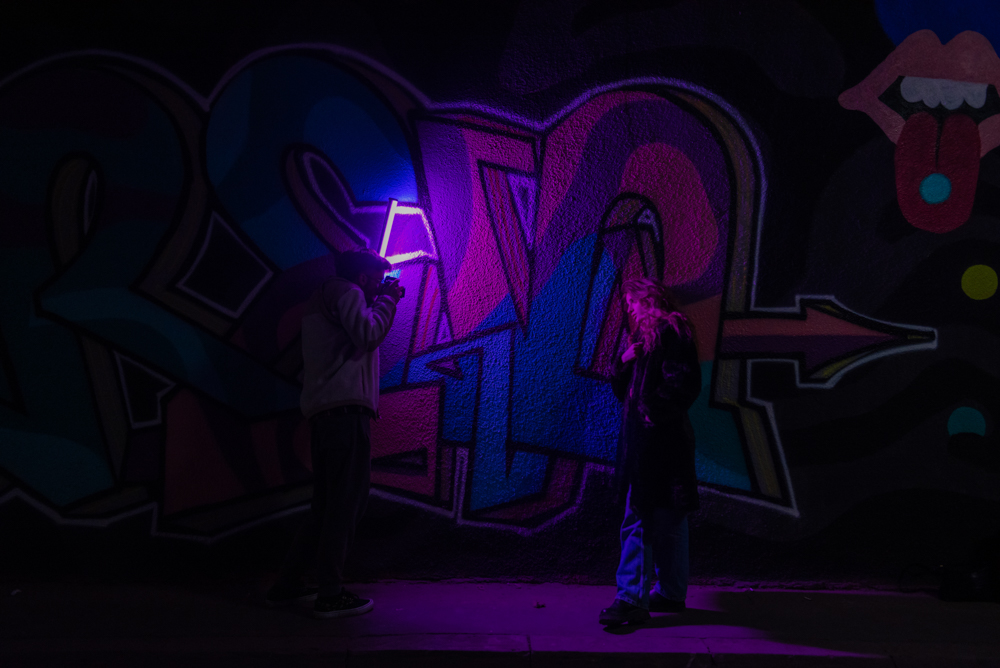
Backstage photo showing an example use of the SmartStick 20.
Model: Kalina Georgiczuk
Backstage photos: Michał Maciejewski
Photos of the model: Aurelia Kulesza
FEATURED EQUIPMENT